
Foldable Phone Browser May Get More Room on the Outside Screen
A software team is looking at ways to give websites more usable space on the narrow outside screen of a new foldable phone. The issue affects people who browse the web while the phone is folded shut.
Browser Controls Take Up Valuable Space
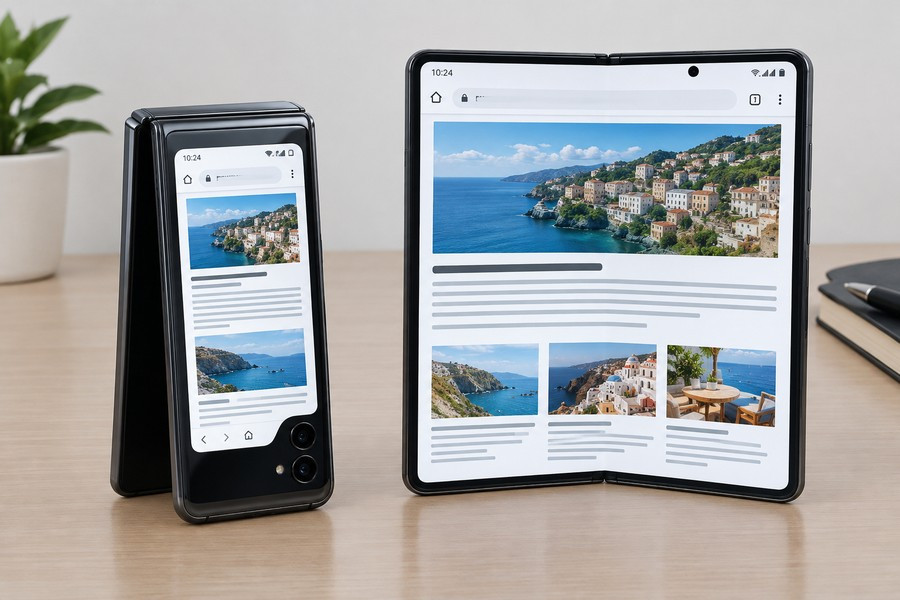
The phone has a 5.4-inch outside display that lets people use some features without opening the device. However, the browser’s controls sit along the right side of the screen. Because the display is already narrow, those controls take up a large share of the available room.
That leaves websites with a smaller area for text, pictures, menus, and other content. Pages that look normal on a standard phone can feel cramped on the outside screen. Reading long articles and scrolling through websites may be more comfortable after the phone is opened to its larger inside display.
The layout choice appears to have been made to keep the browser controls separate from the website. Placing the controls over the page could cover buttons, words, images, or other important parts of a site. Still, the current design means people lose part of the screen even when a website could use that space safely.
A Possible Way to Use the Full Display
The team working on the browser is considering tools that would give web designers more control over the outside display. One possible use would be allowing a website’s header background to stretch across the full width of the screen, including the area near the browser controls.
This could help websites look more balanced on the folded phone. A background color, image, or design element might reach from one edge of the display to the other, while the main page content would remain placed in a safe area.
There may be many ways to use this extra space. Some websites could extend a header or background across the display. Others might use the area for decorative design, navigation, or a layout that is made specifically for the narrow screen.
Why a Simple Setting Could Cause Problems
One possible solution would allow websites to stretch behind the browser’s controls. But using that method on every website could create new problems.
Many websites are not designed to understand where the controls are located. If a page moved its content into that area, important information could be hidden behind the browser buttons. A menu item, headline, form field, or image could become difficult to see or use.
- Text could be covered by browser controls.
- Buttons might become hard to press.
- Images and menus could be pushed into unsafe areas.
- Older websites might not adjust correctly.
Because of these risks, the browser team is looking for an approach that is easier for developers and less likely to break existing websites. The goal is to provide more room without forcing every website owner to rebuild a page from scratch.
Developers Are Being Asked for Ideas
Web designers and developers are being encouraged to suggest ways to handle the problem. Their feedback could help shape a future feature that gives websites more flexibility while protecting important content from being covered.
A successful solution would need to work across different screen positions and sizes. The phone can be used while folded or opened, so a website must be able to adjust as the available space changes. The browser also needs to make the system simple enough for developers to use without adding complicated code.
For now, people using the outside screen may still find browsing less comfortable than using the larger inside display. The browser team has recognized the limitation and is exploring better options for future updates.
What the Change Could Mean
If a safer layout system is created, websites could make better use of the outside screen without hiding content behind browser controls. Pages might appear wider, cleaner, and more carefully designed for the folded phone.
The change would not necessarily remove the controls or place them directly over every website. Instead, it could give developers a reliable way to decide which parts of a page may extend into the unused space and which parts should stay within the visible area.
Until that work is complete, the inside screen remains the better choice for extended browsing. The outside display is useful for quick tasks, but its narrow layout continues to limit how much web content can appear at once.